
Christmas Is Coming: Audio & Video Stress Test: Microphones, Switchers, and Livestream Reliability

If your Christmas service includes wireless microphones, multiple cameras, lyrics, video playback, and a livestream, the safest approach is simple: test the entire signal path under realistic conditions before Christmas Eve: not just each device by itself.
That means turning on every wireless system at once, walking the full stage, running every camera through the switcher, checking HDMI and SDI paths, recording a rehearsal, testing the internet while normal traffic is active, and practicing what happens when something fails.
It can feel like learning a new language. RF coordination, gain structure, multiviews, encoders, switchers, honestly, there’s a lot to keep track of. But the goal isn’t to create a complicated system. It’s to discover weak points while you still have time to fix them.
Let’s break it down.
What should your Christmas church production stress test cover?
A reliable Christmas church production has four connected systems:
- Audio: microphones, console, monitors, PA, recording, and livestream mix
- Wireless RF: handhelds, lavaliers, IEMs, intercoms, antennas, and frequencies
- Video: cameras, switcher, HDMI/SDI paths, graphics, lyrics, and recording
- Network and streaming: internet, encoder, platform connection, multiview, and remote viewing
The key word is connected. A microphone can sound perfect at the console but fail in the livestream mix. A camera can look fine at the camera head but drop out at the switcher because of a cable, converter, or format mismatch.

How do you stress-test wireless microphones and lavaliers?
Start with a complete input list. Include every wireless handheld, lavalier, headset, instrument transmitter, IEM (in-ear monitor), and intercom system. Label the transmitter, receiver, console channel, and performer role consistently.
What’s the difference between digital and analog wireless?
Analog wireless systems continuously vary the radio signal to represent the audio. Digital wireless converts the audio into data before transmitting it.
Digital wireless can offer strong audio consistency and useful coordination features, while analog systems may still be dependable when properly coordinated and maintained. Neither category automatically guarantees reliability. Antenna placement, frequency planning, interference, batteries, and line-of-sight still matter.
In plain English: the label “digital” or “analog” doesn’t replace good RF practice.
Have you coordinated frequencies legally and practically?
Frequency coordination means selecting compatible frequencies so your wireless systems don’t interfere with one another. Intermodulation (unwanted frequencies created when multiple transmitters interact) can produce hiss, clicks, distortion, or dropouts.
Before the Christmas rehearsal:
- Inventory every RF device and its operating range.
- Coordinate all systems together: not one brand or channel at a time.
- Account for local television stations and other nearby RF users.
- Use frequencies permitted for your location and equipment.
- Follow current FCC wireless microphone guidance.
- Record the final frequency plan and label each channel.
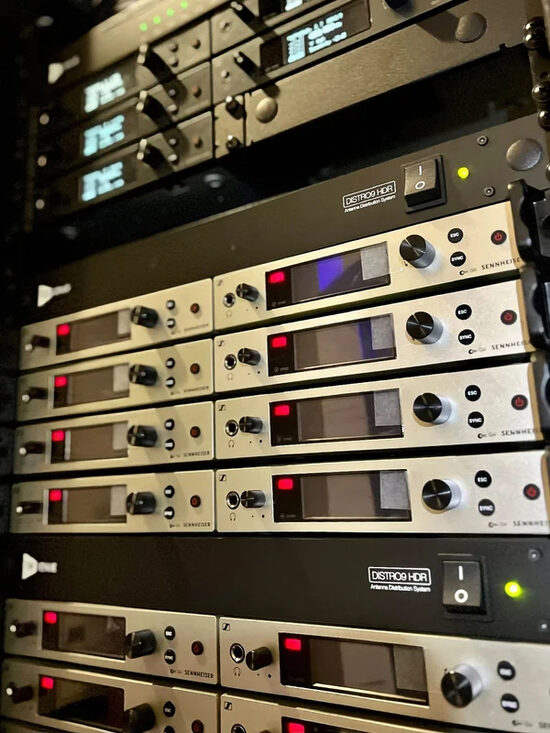
If your church has several wireless channels, a professional antenna and distribution system may reduce cable clutter and improve receiver coverage. SM Lights provides frequency management equipment including antennas, combiners, and distribution systems.
Can each wireless channel survive a full walk test?
Turn on every wireless system simultaneously. Then walk each performer’s route:
- Stage left and stage right
- Behind scenery and risers
- Near metal structures and video equipment
- Through the congregation
- Near the back of the room
- Anywhere a soloist, narrator, or pastor may move
Test with the building configured as it will be on Christmas Eve. That includes Wi-Fi access points, lighting control, video equipment, and audience seating.
Use fresh batteries for every service. Don’t rely on a battery that “should be fine.” Keep labeled spare batteries and at least one ready backup transmitter available for critical roles.
And keep a wired microphone connected and easy to reach. It may not be glamorous, but a wired backup can save the moment when a wireless handheld stops cooperating.
Is your audio mix ready for both the room and the livestream?
A Christmas service often has more sources than a normal Sunday: narrators, children, soloists, choir mics, worship leaders, playback, instruments, and spoken transitions.
What does good gain structure look like?
Gain structure is the level management from the microphone input through the console, buses, outputs, and encoder.
Set each stage at a healthy level without forcing the next stage to compensate. Have every performer speak or sing at realistic Christmas Eve volume: not a quiet soundcheck voice: and watch the console meters.
Check for:
- Clean preamp levels without clipping
- Adequate headroom for excited speakers and loud singers
- No unnecessary boosts downstream
- Consistent levels between handhelds and lavaliers
- A controlled master bus and livestream output
- Clean audio at the encoder input
In plain English: don’t run one part of the system extremely quiet and then crank the next part to make up for it.
How will you prevent feedback?
Feedback happens when amplified sound returns into a microphone and reinforces itself. It often appears when a performer moves toward a speaker, a monitor mix changes, or a lavalier is positioned differently.
During rehearsal:
- Test every microphone in its actual position.
- Walk performers through monitor and loudspeaker coverage areas.
- Confirm unused microphones are muted.
- Check lavaliers under costumes, jackets, and scarves.
- Keep monitor mixes focused on what each performer actually needs.
- Practice muting and replacing a problem channel quickly.
Monitor mixes deserve their own test. A singer who can’t hear may ask for more level, which can reduce feedback margin for everyone.
Does the livestream have its own mix?
The house mix and livestream mix serve different listeners. A person in the sanctuary hears the room, PA, and congregation. A remote viewer hears only what you send to the stream.
Create a dedicated broadcast mix or bus when possible. Listen on:
- A phone speaker
- Laptop speakers
- Headphones
- A television or larger remote system
Check speech intelligibility, choir balance, music levels, congregational singing, and transitions. Also confirm that the stream doesn’t receive a doubled or delayed mix from the wrong console output.
How do you test cameras, switchers, and HDMI/SDI signal paths?
Map every source and destination before rehearsal:
- Camera 1, Camera 2, and any additional cameras
- Presentation and lyrics computers
- Playback systems
- Video switcher
- Confidence monitors and projectors
- Recording device
- Livestream encoder
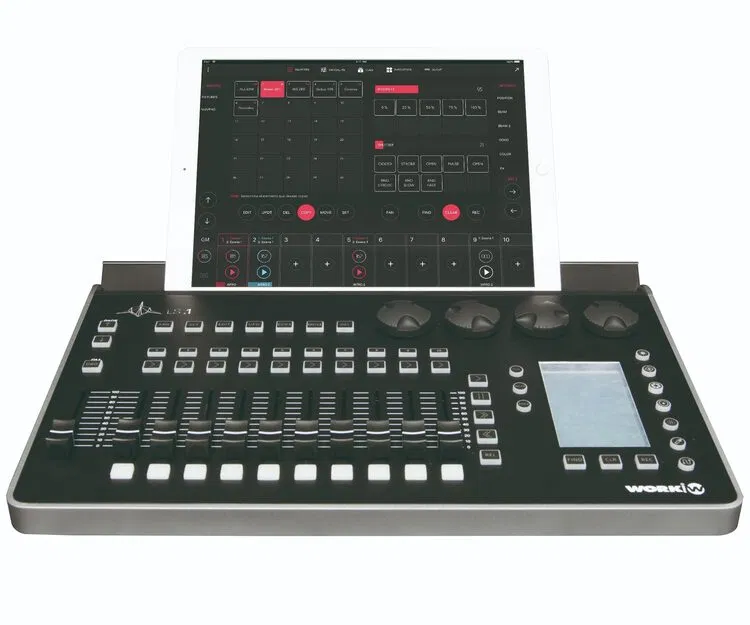
A Blackmagic or ATEM-style switcher can make a multi-camera Christmas service manageable, but only if the sources, formats, control surfaces, and outputs have been tested together. Don’t assume a switcher will recover gracefully from every failure.
Should you use HDMI or SDI?
HDMI is often convenient for short runs. SDI (Serial Digital Interface) is commonly preferred for longer, more demanding cable paths because it is designed for professional video distribution.
Your actual choice depends on distance, venue construction, converters, resolution, frame rate, and equipment compatibility.
Test the complete path: not only the cable:
Camera → cable → converter or extender → switcher → program output → recorder/encoder
Look for intermittent black screens, signal warnings, audio-follow-video issues, and connectors that become loose when volunteers move around the booth.
What should you verify on the multiview?
A multiview is the screen showing multiple camera feeds, preview, program, audio meters, and status information. During the run-through, confirm:
- Every camera is online and correctly framed.
- Exposure and white balance match between cameras.
- The director can identify each source quickly.
- Preview and program are clearly distinguishable.
- Graphics and lyrics appear on the correct output.
- Audio meters are visible and responding.
- The recorder and encoder are receiving the intended program feed.
Record the rehearsal. Watching the recording is often when you notice the floating head in darkness, a poorly framed child soloist, unreadable lyrics, or a camera that missed an important cue.
What should be in your AV stress-test matrix?
Use a simple matrix so no one has to remember everything from memory.
| System | Test | Pass condition | Backup |
|---|---|---|---|
| Wireless handhelds | All on, full movement, realistic speaking volume | No dropouts, noise, or dead zones | Coordinated spare channel and wired mic |
| Lavaliers/headsets | Costumes, movement, monitor levels | Clear speech with stable RF | Backup mic and pre-labeled transmitter |
| Audio console | Full service input list and buses | No clipping, hum, or routing errors | Saved show file and manual channel map |
| Cameras | Full rehearsal and camera moves | Consistent framing, exposure, and signal | Simplified camera plan |
| HDMI/SDI | Full cable and converter path | Stable picture for complete rehearsal | Spare cable, converter, or direct feed |
| Switcher | Rapid cuts, graphics, power-cycle recovery | Program remains controllable | Single-camera or direct-source plan |
| Recording | Entire rehearsal or simulated service | File records, closes, and plays back | Second recording path if available |
| Network | Private stream under normal traffic | Stable connection and readable video/audio | Secondary connection or local recording |
| Encoder | End-to-end stream test | Correct audio, video, and platform status | Reboot procedure and backup encoder plan |
| Remote viewing | Phone, laptop, headphones, TV | Speech is understandable and sync is acceptable | Stream announcement and local recording |
What should you test on Christmas Eve?
Run a complete Christmas Eve run-of-show test. Don’t only test the opening song and the sermon.
Include:
- Doors-open music and announcement
- Countdown or opening graphic
- Welcome and spoken transitions
- Every wireless handheld and lavalier handoff
- Children’s scenes, narration, and movement
- Choir, soloists, and instruments
- Lyrics and presentation changes
- Video playback
- Camera shots and switcher transitions
- Lighting cues that affect camera exposure
- Offering or response moments
- Closing announcements and music
- Recording start, stop, and file verification
- Stream audio on remote devices
Assign one person to call cues, one to mix audio, one to operate cameras or direct shots, one to manage graphics, and one to monitor the stream. Volunteers may rotate during the season, so write down the procedure instead of relying on tribal knowledge.
What happens when something fails during the service?
Create a short failure-response plan and post it at the booth.
- Wireless dropout: Mute the failed channel, cue the wired backup, then troubleshoot after the moment passes.
- Feedback: Pull down the problem channel or monitor send first. Don’t chase the entire mix.
- Switcher freeze: Keep the current program feed stable if possible, then move to the simplified camera or direct-source plan.
- Camera failure: Cut to a known-good camera and notify the operator privately.
- Graphics failure: Use a clean camera shot or prepared still rather than showing a computer desktop.
- Network or stream failure: Continue the in-room service, verify the encoder and network path, and preserve the local recording.
- Audio routing failure: Use the documented backup output or a basic program feed rather than stopping the service.
The goal is not to fix everything instantly. The goal is to protect the congregation’s experience while the team responds calmly.
How can you make the final checklist volunteer-friendly?
Before doors open, confirm:
- All wireless frequencies are coordinated and labeled.
- Fresh batteries are installed; spares are accessible.
- Wired handheld backups are connected and tested.
- Every input passes clean audio.
- Monitor mixes are comfortable and feedback-resistant.
- The livestream mix is intelligible on a phone and laptop.
- Cameras are framed, matched, and receiving stable signals.
- HDMI/SDI paths and converters are secured.
- Lyrics, graphics, and playback have been run.
- The multiview shows all required sources and meters.
- Recording has been started and verified.
- Encoder settings and stream destination are confirmed.
- Internet upload is stable under normal network traffic.
- Backup plans are printed and assigned.
- A full rehearsal has been recorded and reviewed.
Ready to make your church video system more reliable?
Christmas production doesn’t have to depend on last-minute heroics. A written church livestream checklist, a realistic AV stress test, and a rehearsed backup plan can remove much of the uncertainty.
If you need help evaluating wireless microphone reliability, frequency management, video routing, or a volunteer-friendly production system, SM Lights is here to help. We provide real US-based human support from lighting and AVL professionals with 17+ years of experience. As the lighting arm of Shepherd Multimedia, we’ve spent two decades working hands-on in church and live-event installations.
We’ll help you build a system we’d trust in our own projects: because that’s the standard your Christmas service deserves.
Frequently Asked Questions About Christmas AV Stress Tests
How far in advance should a church run an AV stress test?
Run an initial system test several weeks before Christmas, then complete a full rehearsal with the actual performers and volunteers at least once before Christmas Eve. Repeat a shorter check on Christmas Eve after the final equipment setup.
What is the most common wireless microphone problem during Christmas services?
Dropouts, interference, depleted batteries, and poorly positioned lavaliers are common problems. Coordinated frequencies, properly placed antennas, a full movement test, fresh batteries, and wired backups significantly reduce the risk.
Should a church use digital or analog wireless microphones?
Either can work reliably. Digital and analog wireless systems have different performance, latency, coordination, and workflow considerations. Choose based on the number of channels, venue RF environment, existing equipment, budget, and the support available to your team.
Is SDI better than HDMI for church video?
Not always, but SDI is often the more practical choice for longer professional video runs. HDMI can work well for short connections. The important question is whether the complete path: including converters, extenders, switcher, recorder, and encoder: has been tested together.
How do you test a church livestream before Christmas?
Run an end-to-end private or unlisted stream using the complete service workflow. Test cameras, switcher transitions, graphics, lyrics, audio, encoder, internet connection, recording, and remote playback on multiple devices.
What should a church do if the livestream fails during Christmas Eve?
Keep the in-room service moving, confirm that local recording continues if possible, and follow a short response plan. Switch to a backup network, encoder, camera, or simplified program feed only when the responsible operator has confirmed the next step.