
DMX for Dummies: Making Your Stage Lighting Volunteer-Proof
![[HERO] DMX for Dummies: Making Your Stage Lighting Volunteer-Proof](https://cdn.marblism.com/mg0nlZF2C6x.webp)
So, it’s 8:45 AM on a Sunday morning. Your lead volunteer for the tech team just texted to say their kid has a fever and they can’t make it. You look at the lighting console, a beast with a hundred sliders, three touchscreens, and a manual thicker than a phone book, and you realize the only other person in the room is a retired librarian who just wanted to help "click the slides."
If that scenario makes your stomach do backflips, you aren't alone.
For years, the world of professional stage lighting has been shrouded in mystery and jargon. Words like "DMX," "Universes," "Addresses," and "Parameters" get thrown around like they’re common knowledge. But honestly? If you’re running a church, a community theater, or a school stage, you don't need a degree in electrical engineering to make your stage look good. You just need a system that is, quite frankly, volunteer-proof.
At SM Lights, we’ve spent over 20 years through our parent company, Shepherd Multimedia, seeing exactly where things go wrong. We’ve realized that the problem isn't the volunteers, it’s the systems we’re asking them to run. Let’s break down how DMX actually works and, more importantly, how to set it up so anyone can run it without a panic attack.
What is DMX, Anyway? (The 30-Second Version)
If you’ve spent any time researching lighting, you’ve seen the term DMX. It stands for Digital Multiplex, but you can basically think of it as the "language" your lights speak.
In the old days, if you wanted to dim a light, you had to run a massive power cable from a giant dimmer rack to that specific light. If you had 50 lights, you had 50 massive cables. It was a nightmare.
DMX changed all that. It’s a low-voltage signal that tells the light what to do. Think of it like a remote control for your TV. The power stays on at the light, but the DMX signal tells it, "Hey, turn blue," or "Dim to 50%," or "Pan 30 degrees to the left."
The "Address" Analogy
Think of your lighting setup like a street full of houses. Every light is a house, and every house needs a unique address so the mailman (the controller) knows where to deliver the instructions.
- Light 1 (The Front Wash): Address 1
- Light 2 (The Back Light): Address 17
- Light 3 (The Moving Head): Address 33
When you move a fader on your console, it sends a message: "Instruction for Address 1: Turn up the brightness." Because you gave that specific light that specific address, only that light responds.
The "Programming" Trap: Why Your Volunteers Are Scared
Here is the reality check: Most volunteers don't want to "program." They don't want to spend four hours on a Tuesday night patching fixtures and writing complex syntax. They want to show up, press a button that says "Worship," and have the room look great.
When we talk about making a system volunteer-proof, we’re talking about moving away from Programming and moving toward Operating.
Most high-end lighting consoles are built for lighting designers who tour with rock bands. They are designed for flexibility, not simplicity. For a church or a local theater, that flexibility is actually a liability. If a volunteer accidentally clicks the wrong "view" or deletes a "playback," the whole show stops.
We believe in control systems that allow the "pro" (that might be you) to do the heavy lifting once, and then give the volunteer a clean, simple interface.
How to Build a Volunteer-Proof Physical Setup
Before we get to the buttons, we have to talk about the wires. If the physical setup is a mess, the software won't save you.
- Daisy Chaining (Done Right): DMX is designed to run in a "daisy chain." You go from the controller to Light A, then Light A to Light B, then Light B to Light C.
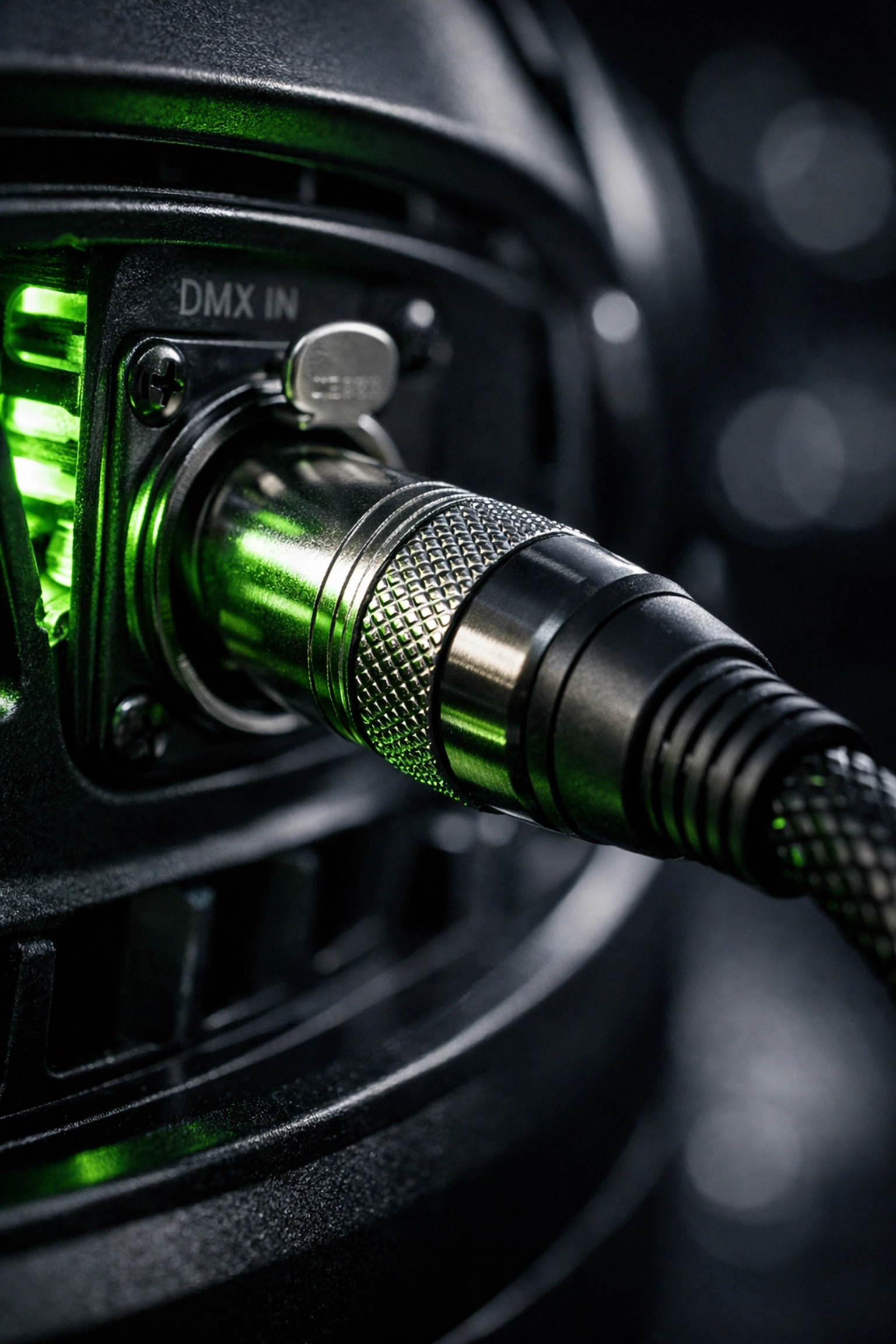
- The Terminator: No, not the movie. A DMX terminator is a tiny $10 plug that goes into the "Out" port of the very last light in your chain. It stops the signal from "reflecting" back up the line and causing your lights to flicker like a haunted house. If your lights are twitching, 90% of the time, it's because you forgot the terminator.
- High-Quality Cables: Please, for the love of all things holy, stop using microphone (XLR) cables for DMX. They look the same, but they have different electrical resistance. Using mic cables for DMX is like trying to run a marathon while breathing through a cocktail straw. It might work for a minute, but eventually, you’re going to pass out.
Choosing Hardware That Doesn't Require a PhD
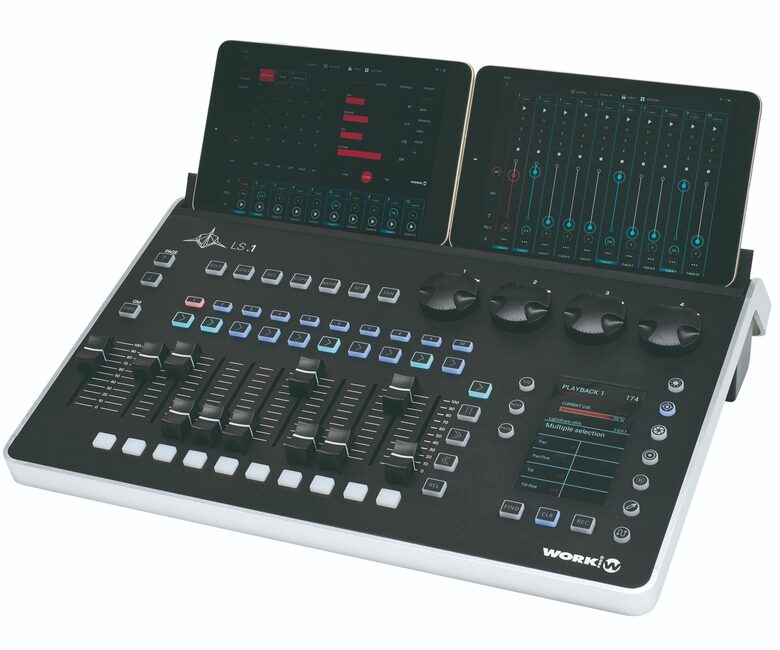
If you want your team to succeed, you need to give them the right tools. We often steer our clients toward systems like the LS-1. Why? Because it’s built on a "fader-per-look" or "touchscreen-preset" philosophy.
Instead of a volunteer having to remember that Fader 1 is the Red intensity for the Hero 400BSW moving lights and Fader 2 is the Green, you give them a screen with big, colorful buttons.
- Button 1: "Sermon" (Clean white front wash, warm house lights)
- Button 2: "Worship - Fast" (Vibrant colors, moving lights active)
- Button 3: "Worship - Slow" (Deep blues and purples, subtle textures)
When the volunteer pushes "Sermon," the DMX controller sends out hundreds of instructions at once. The volunteer doesn't need to know how it happened; they just need to see that it did happen.
The SM Lights Difference: Gear We Actually Trust
We’ve been in the AVL (Audio, Video, Lighting) world for a long time. SM Lights isn't just a warehouse moving boxes; we are the lighting arm of Shepherd Multimedia. We’ve spent two decades in the trenches, installing systems in sanctuaries and theaters across the country.
Because of that, our philosophy is simple: We only sell what we would trust in our own projects.
If we’re recommending Profile LED Ellipsoidals for your front wash, it’s because we know they won't flicker on your livestream. If we suggest a Super Scope Series fixture, it’s because we know it’s quiet enough for a quiet moment in a service but powerful enough for a concert.
Why "Human" Support Matters (The 17-Year Rule)
Let’s be honest: even the best "volunteer-proof" system will occasionally have a hiccup. Maybe a cable gets snagged, or someone accidentally changes the DMX address on a fixture while cleaning.
When that happens at 4:00 PM on a Saturday, you don't want to be talking to an AI chatbot or a call center in another country reading from a script.
We’ve provided real, US-based human support from lighting professionals for over 17 years. When you call our support line, you’re talking to people who have actually climbed ladders, patched consoles, and dealt with the exact same "Sunday Morning Panic" you’re facing. We don't just sell you a box; we help you make sure the box does what it’s supposed to do.
Checklist for a Volunteer-Proof Sunday
If you're looking to simplify your current setup, start with this checklist:
- Label Everything: Use a label maker to put the DMX address on the bottom of every light. If a light stops responding, the first thing a volunteer can check is if the address on the screen matches the address on the light.
- Limit the Options: If your console allows for "User Profiles," create one for volunteers that hides the technical setup menus. They should only see the "Play" buttons.
- Document the "Reset": Have a one-page "How to Start" and "How to Shut Down" sheet laminated at the booth.
- Standardize Your Fixtures: Using a complete stage lighting package often makes life easier because the lights all "behave" the same way. Mixing twelve different brands of cheap lights is a recipe for DMX headaches.
Ready to Stop Stressing?
Stage lighting should enhance the message, not distract from it. If you’re tired of being the only person who knows how to turn the lights on, or if you’re looking to upgrade to a system that your team will actually enjoy using, let’s talk.
Whether you need a single Pearl Wash to add some color or a full DMX control overhaul, we’re here to help you navigate the jargon and get back to what really matters: the performance, the service, and the people.
Check out our full range of stage lighting solutions or reach out to our team for a consultation. We’ve been doing this for 20 years, and we’d love to help you make your stage truly volunteer-proof.