
7 Mistakes You're Making with Moving Head Lights (And How Volunteers Can Fix Them)
So you finally got budget approval for moving head lights. You're excited. Your pastor is excited. Then you hang them, program a few scenes, and suddenly realize... they're not doing what you expected. Maybe the beams are pointing at the back wall during worship. Maybe your Saturday volunteer spent three hours trying to figure out why nothing responds. Or maybe your livestream looks like a disco nightmare instead of a professional broadcast.
Here's the thing: moving head lights are incredible tools, but they're also really easy to mess up if you don't know the common pitfalls. And when you're working with volunteers who rotate every few weeks? Those mistakes multiply fast.
Let's walk through the seven biggest mistakes church tech teams make with moving heads, and more importantly, how to fix them without needing an engineering degree.
Mistake #1: Over-Programming Everything (And Confusing Your Volunteers)
This is the number one issue we see. You get your new moving lights and immediately program 47 different scenes with complex color fades, intricate movement patterns, and synchronized effects that took you five hours to dial in.
Then Sunday morning arrives. Your volunteer sits down at the console, stares at the scene list, and has absolutely no idea which button does what. So they either don't use the moving heads at all, or they accidentally trigger the "Easter sunrise effect" during the offering.
How to fix it:
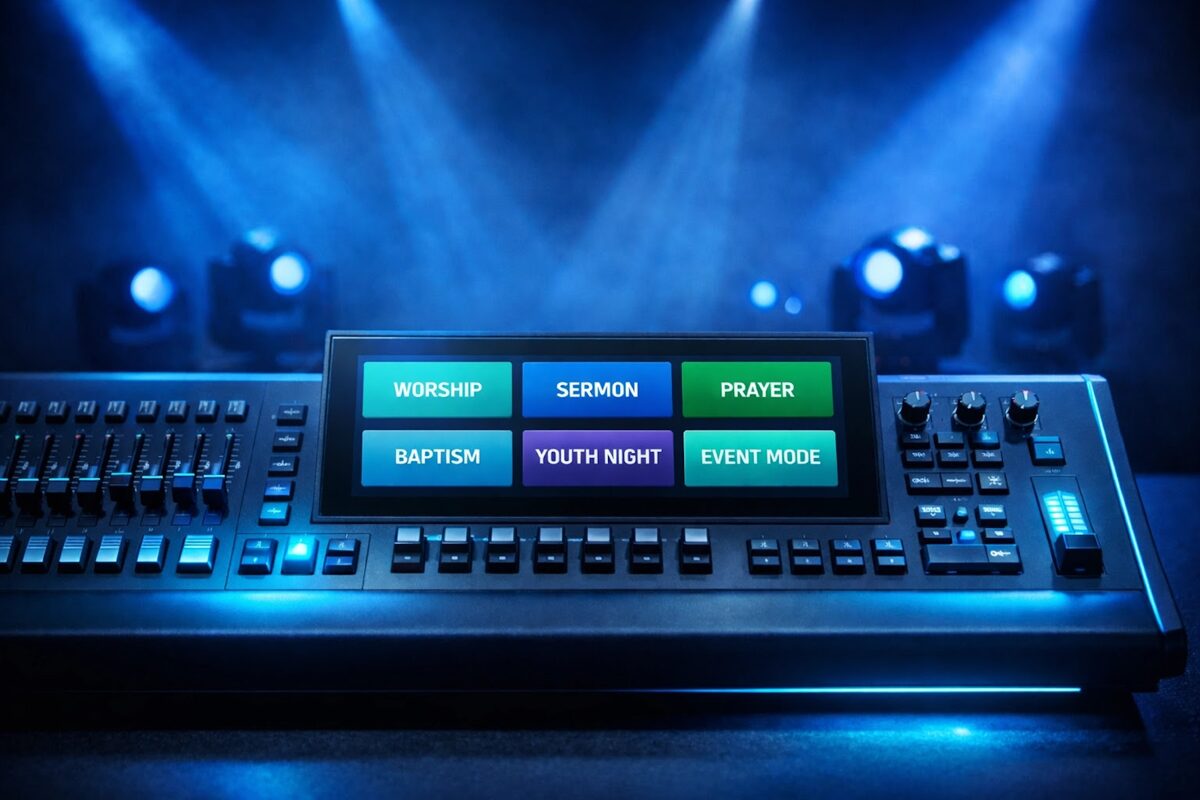
Keep it stupid simple. Program 5-7 core scenes maximum:
- Worship Wash: Broad, even coverage with warm tones.
- Stage Focus: Tight beams on the speaking area.
- High Energy: Movement and color for upbeat songs.
- Soft Background: Subtle backlight for teaching moments.
- Special Moment: Dramatic look for baptisms, communion, etc.
Label everything clearly. "Scene 12" means nothing. "Worship Open" tells your volunteer exactly when to use it. When you're working with fixtures like the Hero ($2,435) or Mainforce ($924), you've got enough capability to create beautiful looks without needing a different scene for every song.
Mistake #2: Positioning Them Where They Look Cool Instead of Where They Work
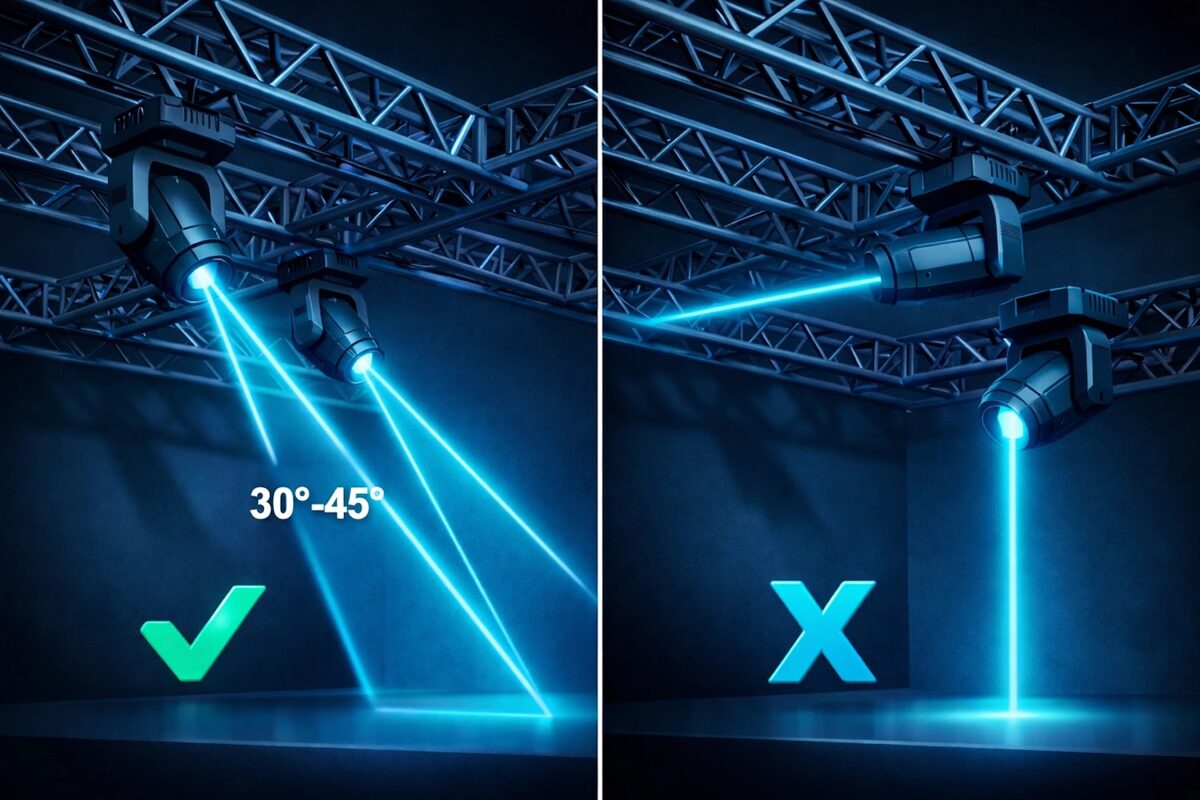
We get it. Those fixtures look amazing when they're positioned symmetrically on your truss, creating a perfect visual lineup. But lighting design isn't about what looks good when the lights are off. It's about what the light does when it's on.
Common positioning mistakes:
- Mounting them too far upstage (so they only light the back wall)
- Hanging them directly above the stage (creating harsh top-down shadows on faces)
- Spacing them evenly without considering what you actually need to light
- Putting them where they'll blind your camera operators or congregation
How to fix it:
Think about what you're lighting, not where the fixture looks nice. Your moving heads should be positioned to light faces from a flattering angle (generally 30-45 degrees in front of and above the subject), provide depth with backlight, and create visual interest without overpowering your primary wash.
A pair of TX1940 ($2,400) fixtures positioned correctly will give you better results than six fixtures hung in the "wrong" spots just because it looks symmetrical.
<Mistake #3: Ignoring Flicker and Broadcast Quality
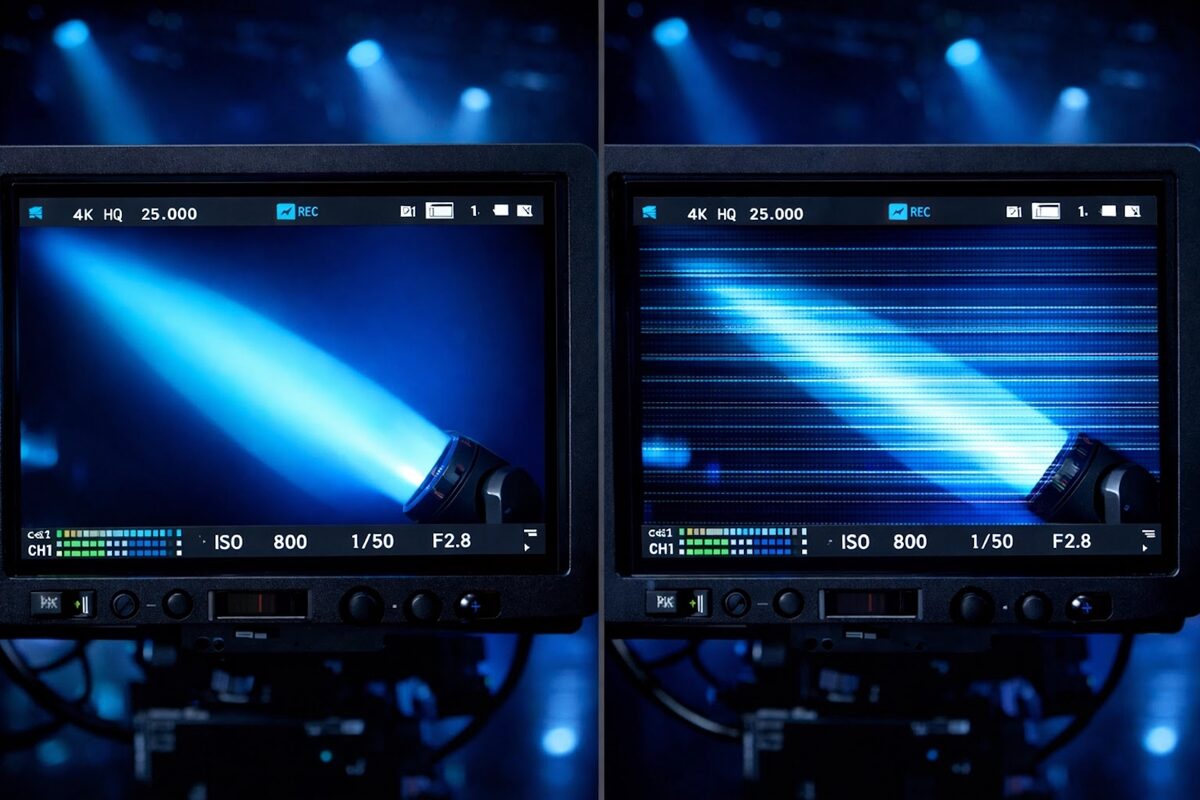
This one sneaks up on a lot of churches. Your moving heads look fantastic in person—smooth dimming, vibrant colors, and impressive movement. Then you review your livestream footage and see horrible horizontal lines flickering across the video. Your online congregation starts complaining about headaches from watching.
Not all LED stage lights are created equal. Cheap moving heads often use PWM (pulse-width modulation) dimming that creates flicker invisible to the human eye but glaringly obvious to cameras.
How to fix it:
When you're shopping for moving heads, specifically ask about flicker-free operation for broadcast. This is non-negotiable if you're streaming or recording services.
The Super Scope II ($6,047) is built specifically with broadcast-quality output in mind: no mysterious flicker, no rolling bars on camera, just clean, professional light that works both in-person and on screen. Yes, it costs more than that "great deal" you found online. But when your livestream is how 60% of your congregation actually experiences services, the investment makes sense.
If you've already got fixtures that flicker on camera, you can sometimes mitigate it by adjusting your camera's shutter speed, but that's a workaround, not a solution. Quality fixtures solve the problem at the source.
Mistake #4: Getting the DMX Addressing Wrong (And Wondering Why Nothing Works)
DMX addressing sounds technical and intimidating, but it's actually pretty straightforward. Every fixture needs a unique "address" on your DMX network so the controller knows which fixture to talk to. The problem? It's really easy to accidentally give two fixtures the same address, or to program your controller looking for fixtures at addresses that don't exist.
Then Saturday night arrives, and suddenly Fixture 3 isn't responding. Or when you try to move one light, three of them move together. Or nothing happens at all.
How to fix it:
Create a simple spreadsheet documenting:
- Each fixture name/number
- Its DMX start address
- How many channels it uses
- Its physical location
For example:
- Mainforce Left – Address 1 (uses 16 channels)
- Mainforce Right – Address 17 (uses 16 channels)
- Hero Center – Address 33 (uses 20 channels)
Keep this document printed and taped near your control station. When a volunteer can't figure out why something isn't working, they can verify the fixture's actual address (usually shown on a small display on the fixture itself) matches what's programmed in the controller. Most DMX problems aren't complicated electrical issues; they're just addressing mistakes that take two minutes to fix once you know what to look for.
Mistake #5: Blocking Airflow and Cooking Your Fixtures
Moving head lights generate heat—a lot of heat. They've got cooling fans built in specifically to manage this, but we constantly see fixtures mounted in ways that completely block their air intake or exhaust vents.
You've crammed them into tight truss configurations where air can't flow. You've hung them right against the ceiling with no clearance. Or you've let dust accumulate over months until the vents are completely clogged. Then the fixture overheats, goes into thermal protection mode, and shuts down in the middle of your service.
How to fix it:
- Check your fixture's manual for clearance requirements (usually at least 20cm/8 inches on all sides).
- Make sure air inlets and outlets stay clear when you're positioning them on your truss.
- Set a monthly reminder to inspect your fixtures for dust buildup. A can of compressed air and five minutes of attention can prevent a $2,400 fixture from failing during Easter service.
- Listen to your fixtures. If you hear fans working unusually hard, grinding noises, or high-pitched whining, something's wrong. Don't wait until it completely fails.
Pro tip: If you're hanging fixtures in a particularly dusty environment (older buildings, churches that run large events), consider getting fixtures with better dust protection ratings. The Hero and Super Scope II are built to handle real-world church environments where dust happens.
How to fix it:
It's better to buy fewer quality fixtures than more cheap ones. A Mainforce ($924) comes with support from a US-based team. When you factor in volunteer time spent troubleshooting and the cost of replacement, quality gear is cheaper in the long run.
Mistake #6: Buying the Cheapest Option (And Paying for It Later)
Look, we understand church budgets are tight. When you're comparing moving heads and one costs $900 while another costs $2,400, the temptation to go cheap is real.
But here's what happens with bargain-bin moving heads:
- They flicker on camera (see Mistake #3)
- Colors are inconsistent fixture-to-fixture
- Motors are loud enough to pick up on stage mics
- They fail within 18 months
- Replacement parts are impossible to find
- Support is nonexistent when you have questions
How to fix it:
Think total cost of ownership, not just sticker price. A Mainforce ($924) might cost more upfront than that "amazing deal" you found, but it's built to last, won't embarrass you on camera, and comes with actual support from a US-based team when you need help.
If budget is genuinely tight, it's better to buy fewer quality fixtures than more cheap ones. Two reliable moving heads that work perfectly are infinitely more valuable than six fixtures that constantly cause problems.
And honestly? When you factor in volunteer time spent troubleshooting issues, the cost of replacing failed fixtures, and the embarrassment of technical failures during services, quality fixtures are cheaper in the long run.
Mistake #7: Never Cleaning or Maintaining Them
You wouldn't drive your car for three years without an oil change, but we see churches run moving head lights for years without any maintenance whatsoever. Lenses get dirty and dim your output. Dust accumulates on mirrors and reduces color accuracy. Gobo wheels develop gunk that affects rotation, and the longer you ignore it, the worse it gets.
How to fix it:
Create a simple quarterly maintenance schedule:
Every 3 months:
- Clean external lenses with appropriate lens cleaner.
- Blow out any visible dust from vents.
- Check that all fixtures move smoothly through their full range.
- Verify gobo wheels rotate freely.
- Test all color mixing to ensure consistency.
Every 12 months:
- Consider professional service for internal cleaning.
- Check and re-lubricate moving parts if needed.
- Inspect wiring and connections.
- Replace any worn cooling fans.
Your fixtures will last longer, look better, and work more reliably. And your volunteers won't deal with mysterious issues that turn out to be "the lens was just really dirty".
The Bottom Line
Moving head lights are incredible tools for church stage lighting when you use them right, but they require a bit more thought and care than static fixtures. Avoid these seven mistakes, and you'll get professional results without the technical headaches.
Focus on volunteer-friendly programming. Position them where they actually do something useful. Invest in broadcast-quality fixtures if you're streaming. Document your DMX addressing. Keep airflow clear. Buy quality over bargain-bin gear. And actually maintain